CAD Software Operator
Also known as: CAD Technician, Drafter, CAD Designer
A CAD Software Operator, often called a CAD Technician or Drafter, uses specialized computer software to create precise 2D and 3D technical drawings and models. These designs are essential blueprints for everything from skyscrapers and bridges to car parts and electronic devices. They work closely with engineers, architects, and designers to turn concepts into detailed plans that can be used for manufacturing or construction.
7
Skills to Learn
4
Career Levels
5
Top Companies
3
Education Paths
Sneak Peek
Ever wondered how buildings, cars, or even your favorite video game characters are designed? Do you enjoy bringing your ideas to life through detailed drawings and models?
What does a CAD Software Operator do?
A CAD Software Operator, often called a CAD Technician or Drafter, uses specialized computer software to create precise 2D and 3D technical drawings and models. These designs are essential blueprints for everything from skyscrapers and bridges to car parts and electronic devices.
- Salary in India
- ₹4 to ₹10 lakh a year
- Demand
- Growing
- Remote work
- Hybrid
- Industry
- Information Technology
Is This Career For You?
Discover if your personality matches this career
Your Personality Fit (RIASEC)
You like solving problems and figuring out how things work. CAD operators analyze designs, troubleshoot technical issues, and explore different design solutions.
You enjoy working with your hands and using tools to create or fix things. In CAD, this translates to bringing designs to life through precise digital models and understanding how physical parts fit together.
You are organized, detail-oriented, and follow procedures. CAD requires meticulous attention to detail, accuracy, and adherence to standards for creating technical drawings.
You like leading and persuading others. This role might involve presenting designs or explaining technical aspects, but it's not the primary focus.
You appreciate creativity and aesthetics. While CAD is technical, artistic skills help in visualizing and creating visually appealing and functional designs.
You enjoy helping others and working in teams. While CAD work can be collaborative, the core tasks are more focused on technical execution than direct social interaction.
You'll Love This Career If...
Like what you see? Get full access.
Save this career, compare with others, and get your personalized career plan.
50,000+ students already signed up
A Day in the Life
What your typical workday looks like
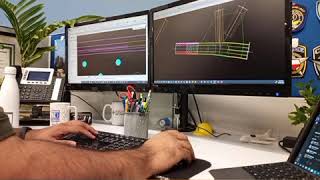
Your day typically starts by reviewing project requirements or blueprints. You'll spend a good portion of your time working at a computer, using CAD software like AutoCAD to create or modify technical drawings. This might involve drafting 2D layouts, building 3D models, or adding precise measurements and annotations. You'll often collaborate with a team, discussing design changes or clarifying technical specifications. Sometimes, you might need to troubleshoot design issues or prepare drawings for printing and distribution.
Myth vs Reality
Tap to reveal the truth behind common misconceptions
Skills You'll Need
Master these to excel in this career
Technical Skills
1CAD Software Proficiency
Ability to use CAD software effectively to create and modify designs.
Soft Skills
5Attention to Detail
High level of precision and accuracy in design work.
Problem-Solving Skills
Ability to identify and resolve design issues efficiently.
Communication Skills
Effective communication with team members and clients.
Team Collaboration
Ability to work effectively within a team environment.
Continuous Learning
Willingness to stay updated with the latest software and design trends.
Domain Skills
1Basic Mechanical Engineering Knowledge
Understanding of mechanical principles and how they apply to designs.
Tools of the Trade
Software and tools you'll work with daily
Software
AutoCAD
A leading software for 2D and 3D design and drafting, used to create precise technical drawings.
SOLIDWORKS
A popular 3D CAD software used for designing mechanical parts, assemblies, and products.
Creo
A powerful CAD/CAM/CAE software suite used for product design and engineering.
Autodesk Inventor
3D mechanical design, documentation, and product simulation software.
CAM Software (e.g., Mastercam)
Translates CAD designs into instructions for manufacturing machinery like CNC machines.
Hardware
High-Performance Computer
A powerful computer capable of running complex CAD software efficiently and handling large, intricate design files.
Large Monitors
Multiple or large high-resolution monitors to display complex designs and various software tools simultaneously.
Want to build these skills?
Get a personalized learning roadmap and save careers that match your profile.
50,000+ students already signed up
Your Learning Path
Step-by-step guide to getting started
Master the Basics of Engineering Drawing
Start by learning the fundamental principles of technical drawing. This includes understanding different types of views (orthographic, isometric), line types, dimensioning techniques, and how to read blueprints. Think of this as learning the alphabet before writing sentences.
Get Hands-On with CAD Software
Choose a popular CAD software (like AutoCAD or SOLIDWORKS) and learn its interface and basic commands. Practice creating simple 2D shapes and then move on to building basic 3D models. Many software programs offer free student versions or trials.
Explore 3D Modeling and Advanced Features
Dive deeper into 3D modeling by learning techniques like extruding, revolving, and sweeping. Understand how to create assemblies, add constraints, and use features like fillets and chamfers. Learn about different file formats (like DWG, DXF) used for sharing designs.
Understand Manufacturing Processes and CAM
Learn how CAD designs are turned into real-world products. This involves understanding basic manufacturing processes (like machining, 3D printing) and how Computer-Aided Manufacturing (CAM) software translates CAD models into instructions for machines. This connects your digital work to the physical world.
Career Progression
How your career will grow over time
CAD Software Operator
EntryBeginners in this role assist in drafting and designing using CAD software, maintaining drawing libraries, and executing client requests.
- Assist in drafting and designing using CAD software
- Maintain drawing libraries
- Execute client requests
- Produce CAD drawings from shop/mechanical drawings
- Assist sales with quotes and estimates
CAD Technician
Mid-LevelIntermediate professionals take on more complex design tasks, manage projects, and collaborate with engineers.
- Manage complex design tasks
- Collaborate with engineers
- Manage projects
- Ensure design quality
- Use advanced CAD features
Senior CAD Technician
SeniorExperienced technicians lead projects, mentor junior staff, and contribute to strategic planning.
- Lead projects
- Mentor junior staff
- Contribute to strategic planning
- Optimize design processes
- Ensure compliance with industry standards
CAD Manager
LeadershipLeaders oversee CAD departments, set policies, and drive innovation in design processes.
- Oversee CAD departments
- Set policies and standards
- Drive innovation
- Manage budgets
- Ensure team alignment with company goals
Education Paths
Upper Secondary
Post-Secondary Certificate/Diploma
Diploma in CAD/CAM
Computer-Aided Design
Bachelor's Degree
B.Tech
Mechanical Engineering
Top Hiring Companies
Salary & Future Growth
What you can earn and where the industry is headed
Salary Progression (INR)
Future Career OutlookCurrent Market: Growing
Computer-Aided Design (CAD) is a critical field with a global market expected to reach approximately 14 billion US dollars. The demand for 3D CAD software is rising across industries like automotive, aerospace, and manufacturing, indicating a strong current need for skilled professionals. CAD operators are essential for creating, modifying, and analyzing designs, making them integral to modern product development.
The increasing adoption of advanced technologies like AI and automation in design processes will likely transform the role of CAD operators. While the core skills of design and modeling will remain, there will be a greater emphasis on integrating CAD with simulation, generative design, and digital manufacturing. The trend towards virtual and distributed work in product design engineering suggests that CAD operators will need to be adept at using cloud-based platforms and remote collaboration tools.
The long-term outlook for CAD software operators remains positive, driven by continuous innovation in design and manufacturing. As industries increasingly rely on digital twins, additive manufacturing, and smart product development, the demand for individuals who can translate complex ideas into precise digital models will persist. Adaptability to new software, technologies, and evolving industry standards will be key to sustained relevance.
Not sure if CAD Software Operator is right for you?
Talk to a Stride counsellor for personalised guidance on whether this career fits your interests, strengths, and goals.
Watch & Learn
Curated videos to help you explore



Helpful Resources
Articles and guides for deeper learning
Frequently Asked Questions
Quick answers to common questions
QWhat are the most commonly asked questions in a CAD job interview?
Common questions revolve around your understanding of CAD principles (2D vs. 3D, parametric modeling), your proficiency with specific software, how you ensure design accuracy, your experience with collaboration, and how you overcome design challenges.
QHow can I prepare effectively for CAD job interviews?
Practice your technical skills on CAD software, understand core concepts, build a portfolio of your work, and prepare to discuss your projects and problem-solving approaches. Research common interview questions and practice your answers.
QDo CAD interviews require practical demonstrations?
Yes, many CAD interviews include practical tests or assignments where you'll be asked to create or modify a design using CAD software to assess your hands-on skills.
QWhat key skills do interviewers look for in CAD candidates?
Interviewers look for a strong technical foundation in CAD software, attention to detail, problem-solving abilities, good communication skills for collaborating with teams, and the ability to learn new technologies.
Explore All 1,500+ Careers
Browse our full career explorer or take an assessment to get personalised recommendations.